
Personal AI Workflows
My personal agent setup. When a task comes up, I launch a Claude Code or Codex session scoped to that one task, with the tools and data it needs. It handles my household admin, email, finances, and software projects from my Mac.
What it is
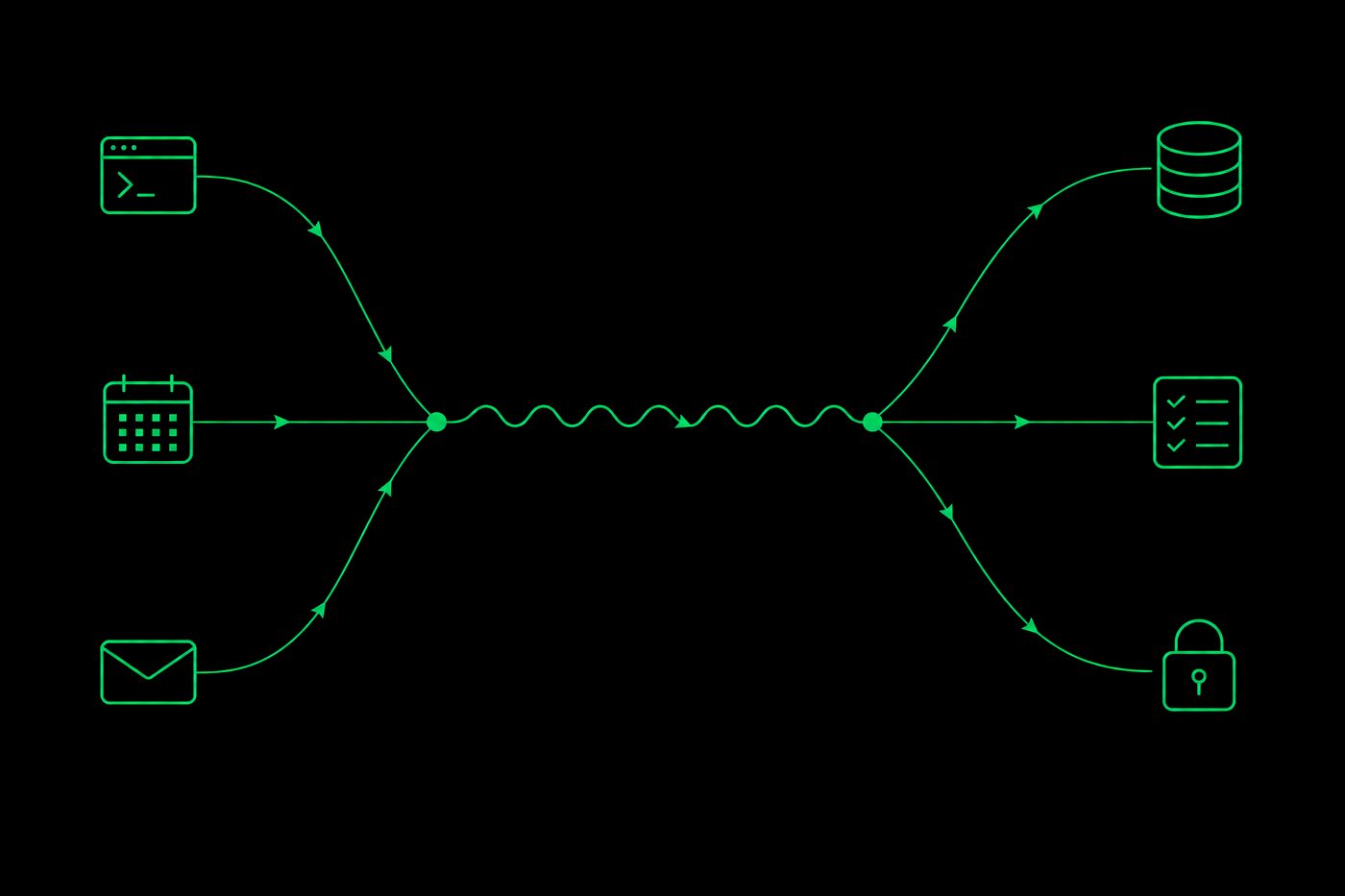
A lot of my personal admin crosses between apps. An appointment arrives by email and needs to go on the calendar. Credit card statements need to be downloaded from a website and filed where I can find them later. I started building a system for work like that in early 2026. Now, when an item on my agenda needs more than a keystroke, I launch an agent session to do it. For statements, that session drives the browser, downloads the files, and files them in my document library.
It’s a TypeScript monorepo backed by PostgreSQL, running on my Mac. There are about eighty packages, most of them small. I use it every day, and I also develop it from inside itself, which I describe below.
Terminal apps
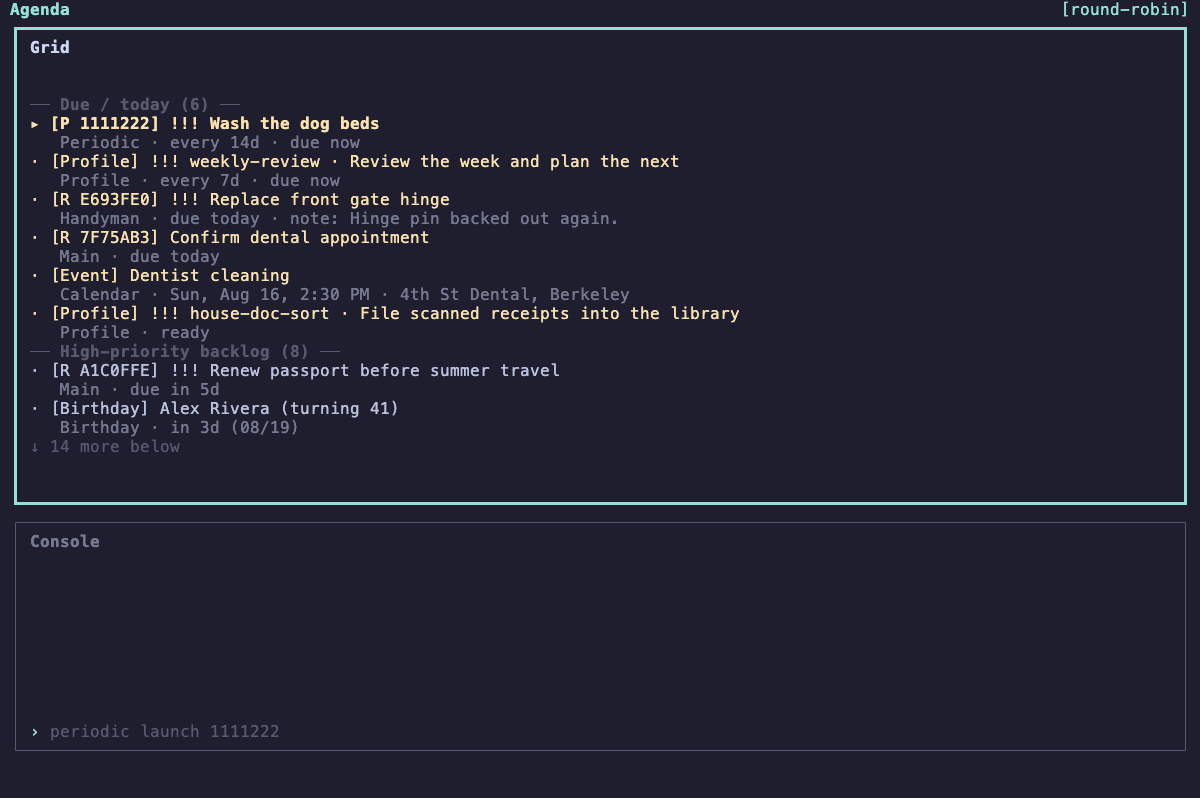
Most of my day-to-day use goes through a handful of terminal apps written in React with Ink: an agenda, an email inbox, a finance review queue, and a diary. They share one layout. A grid shows a queue of items, single keys handle the common actions, and a console at the bottom accepts either a typed command or a plain English sentence about the selected row. When I need something the app doesn’t do, the console can open a Claude Code session with that row’s context already attached.
The agenda merges one-off Apple Reminders, recurring chores, calendar events, birthdays, scheduled workflows that need me, and warnings from a 45-day cash flow projection into one list sorted by urgency.
The inbox merges Gmail and FastMail, oldest first, one conversation at a time. Archive and trash move on to the next message. A message with an appointment in it becomes a calendar event with one key. A message that needs a real reply can open an agent session scoped to that thread, so I don’t have to explain the background.
Finances use the same kind of queue over my synced and manually tracked accounts. Receipt emails fill in details on transactions that would otherwise show only a merchant name, planned transfers get matched to the ones that posted, and the projection only reports to the agenda when something looks off.
Agent sessions
Every agent session starts from a named profile. A profile lists the skills, commands, and document folders the session can use, which credentials it can reach, which model it runs, and whether I’m expected to be at the keyboard. A launcher turns the profile into Claude Code’s or Codex’s own settings and permission rules and opens the session in a new terminal tab. A session that edits the email package runs its tests offline and never gets access to my inbox.
Agents do most of their work through small command-line tools. The agent decides what should happen. The command validates its arguments, applies the domain rules, and writes the result. I can run the same commands myself, so what an agent did shows up in the same tables and logs as what I did.
Passwords and API keys stay in my password manager. For APIs that support it, the launcher starts a small credential broker on localhost for the life of the session. The agent gets a short-lived token and a local URL. The broker checks the token against the route being called, adds the real credential, forwards the request, and logs it. The agent never sees the key, so it can’t end up in a transcript.
Documents follow the same pattern. Files, notes, and source repositories are catalogued in Postgres with keyword and semantic search, and a session can read only the folders its profile names. That keeps a session from wandering into unrelated files by accident. It wouldn’t stop an agent that was actively trying to get out, and I don’t treat it as a sandbox.
Development
I build the system from inside the system. Each coding session gets a fresh Git worktree on its own branch and its own copy of the database, refreshed hourly from the live one, for testing migrations. When the work is done, a ship command checks the merged result for unrelated changes and stale documentation, runs the tests, applies the migrations to the live database, and squash-merges the branch locally. Sessions that don’t change any code still ship, because shipping is what records what the session was asked to do and what it did.
Unattended work goes through a dispatcher that ranks scheduled and one-off jobs and launches them the same way I would. Jobs that need me wait until I’m around, and a failed job stays on the list until I look at it.
A few of those jobs read the system’s own logs. If agents keep calling a command that doesn’t exist, that points to a tool worth adding. If they keep writing the same raw SQL, that points to a query worth naming. Flaky test reports turn into targeted fixes. A job can fix a small problem itself, file a task with a clear definition of done, or leave the question for me.
Limits
All of this runs on one FileVault-encrypted Mac that I trust. The permission scoping is there to limit mistakes, and it isn’t a security boundary against malicious code. Existing services stay in charge of their own data: Apple Reminders has one-off tasks, Google Calendar has events, and the mail providers have my mail, with a local archive as a recovery copy.
Backups are handled per subsystem, and automated checks restore recent backups to make sure they work. I’ve done my own threat modeling and learned from a few incidents, but nobody has audited it professionally.